Scan, explore the menu, see it on your table, and then order.
Guests scan a QR code on their table, explore your dishes in 3D, preview them on the table with AR, then order. The order lands on your kitchen screen with the table number attached. They can pay online or at the counter.
- No app for guests
- Works on any phone, tablet or computer
- No new hardware
- Prices and sold-out items you control
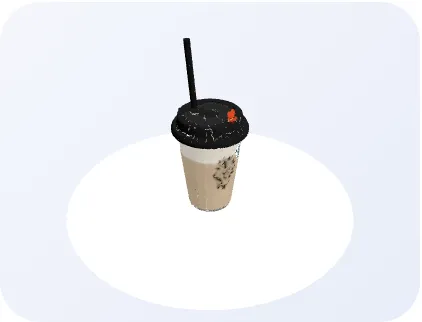
Window Sip Coffee
Drag to rotate in 3DWhat you get today
No tablets to buy for guests, no app to download, no long setup.
Guests rotate and zoom each dish before they choose, so they know what they are getting.
Each table has its own link. The menu shows your café's name and the table number, so orders arrive with the right table.
Orders appear live on any tablet or screen, with a sound alert. Your team moves each one along in a tap.
Guests see "order confirmed" only once your kitchen has the order. They get an order number and a live status.
Change a price or mark a dish sold out from your phone. The QR codes never change.
Labels show to guests only after your café confirms them. Until then, guests are told to ask staff.
Guests can pay online from the table, or choose to pay at the counter.
See your orders and your most popular dishes, so you know what is working.
See the dish on your table before you order
With one tap, guests can place a 3D dish on their own table through their phone camera. It helps them judge the portion, the plate and what they will actually get.
- Nothing to install. It opens from the same menu page, straight from the QR code.
- Works on supported phones. Recent iPhones and many Android phones. On other phones guests still get the full 3D view.
- You choose which dishes. We build the dishes you feature, and you approve each one before guests see it.
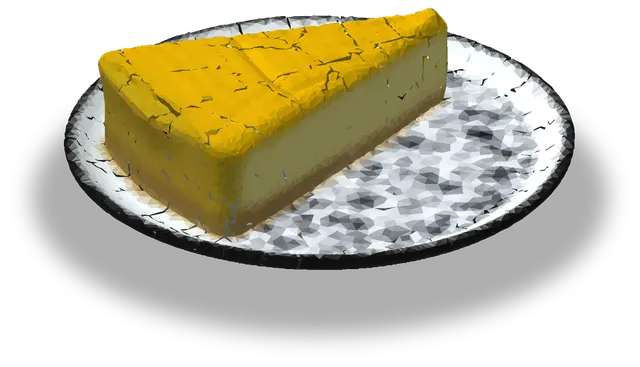
Loads one dish (about 2 MB) only when you tap. Sample dish from our demo café.
Your kitchen sees every order, live
Open it on any tablet, phone or computer. No special hardware, nothing to install.
- Sound alert for new orders, repeated until someone starts cooking.
- Table number, items and guest notes on every ticket, with how long it has been waiting.
- One tap per stage: New, Preparing, Ready, Served. Mark paid or cancel from the same ticket.
- Honest about problems. A red warning if an update did not save, and a clear OFFLINE banner if the connection drops.
- Pause ordering in one tap when the kitchen is overwhelmed.
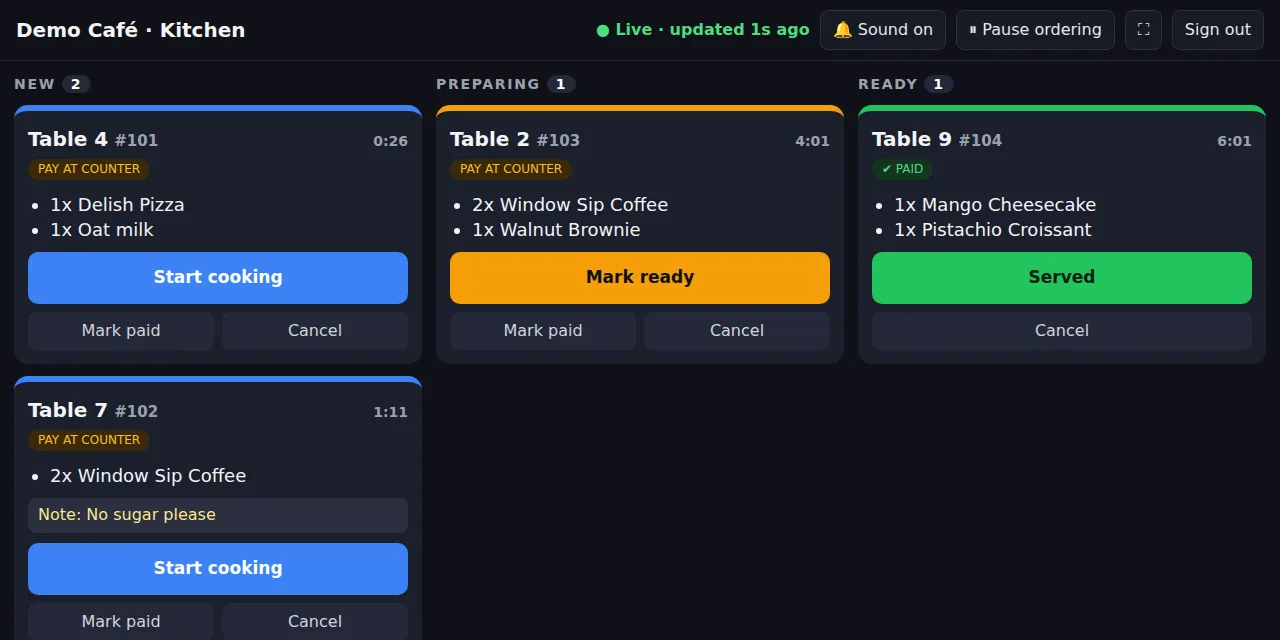
Real screen with sample orders.
Works on every device
Orderly runs in the browser, so there is nothing to install on any of them.
iPhone and Android. Guests scan with their normal camera, and the menu opens in the browser.
Any tablet, phone or monitor with a browser can be your kitchen display.
Manage prices, availability and reports from the counter computer or your own laptop.
Works in current Chrome, Safari, Edge and Firefox. 3D works on modern phones, tablets and computers; AR table placement needs a supported phone.
See what is selling
Sample café · orders and sales
Up and running in three steps
We do the heavy lifting.
A photo or PDF is enough. Tell us which dishes to feature in 3D.
We create the 3D dishes, your menu page and your table QR codes. You check every model and allergen label before guests see it.
Stick the QR codes on your tables and open the kitchen screen on a tablet.
Try the demo
Tap a dish to inspect it in 3D, add what you want and place the order. It appears on the sample kitchen screen below. You can also open the guest page exactly as a guest sees it.
Your order (demo)
Sample kitchen screen
Tap a ticket button to move it along, as your kitchen team would.
Pricing for Lahore restaurants and cafés
One simple offer per branch, in Pakistani rupees (PKR). Month to month, cancel anytime.
- Setup: your menu page, QR codes for up to 20 tables, 3 dishes in 3D with AR, and a 30-minute staff walkthrough
- Monthly: hosting, the kitchen screen, online payment, sales reports, price and sold-out changes, and support
- Support: WhatsApp and email, Monday to Saturday, reply within one working day
- Your first signature dish in 3D is free to try before you commit
- Built, approved by you, and added to your menu
- No cut of your sales, ever
| Included in the pilot | |
|---|---|
| 3D dishes, AR on supported phones, QR code for every table | ✓ |
| Orders to your kitchen screen with sound alerts | ✓ |
| Change prices and mark dishes sold out yourself | ✓ |
| Allergen labels and 3D models you approve | ✓ |
| Online payment, or pay at the counter | ✓ |
| Sales reports: your orders and most popular dishes | ✓ |
You provide a tablet or spare phone for the kitchen screen and an internet connection. Founding prices are for the first restaurants and cafés we onboard. Later customers pay the regular prices shown crossed out.
Coming soon
On our roadmap.
Counter sales and day-to-day operations in one system.
Try one dish free
Send us one signature dish and we will turn it into a 3D model you can try in your own café, free and with no obligation.
Claim your free dishBook a live demoQuestions
Do my guests need to download an app?
No. They scan the QR code with their phone camera and the menu opens in the browser. AR also opens from that page.
How do I receive orders?
On the kitchen screen: any tablet, phone or computer with a browser. New orders play a sound and show the table number and items, and your team moves each one from New to Preparing to Ready.
How do guests pay?
Guests can pay online from the table, or choose to pay at the counter. Your team sees on the kitchen screen whether each order is paid.
Which phones support AR?
Recent iPhones and many Android phones. On a phone without AR support, guests still see the dish in 3D.
Can guests order for the wrong table, or spam orders?
Each table has its own secret QR link, and the system limits how many orders one table can send. Prices are always checked by the server, not by the guest's phone.
What if I change my prices or dishes?
You can change prices and mark dishes sold out yourself, and it applies to new orders straight away. New dishes and 3D models are added by us. The QR codes stay the same.
Who checks the allergen information?
You do. We set up the labels, but guests only see them after your café confirms them. Until then, guests are told to ask staff.
Is there a contract?
No. The pilot is month to month and you can cancel anytime.
Get your free dish demo or book a call
Tell us about your café. We will reply within one working day.